usabilityadvice
usabilityadvice
usabilityadvice
usabilityadvice
UsabilityAdvice: A Practical Guide to Creating Better User Experiences
In today’s digital world, usability is no longer optional—it is essential. Whether you’re designing a website, developing an app, or building a digital product, users expect seamless interactions, intuitive navigation, and fast results. This is where usabilityadvice becomes invaluable.
Usability advice refers to expert recommendations, principles, and techniques that help improve how users interact with digital products. Good usability ensures that visitors can accomplish tasks easily, efficiently, and without frustration. Businesses that prioritize usability often see higher conversion rates, better engagement, and stronger customer loyalty.
In this guide, we’ll explore practical usability advice, proven UX principles, and actionable tips to help you build user-friendly digital experiences.
What Is Usability in UX Design?
Usability is a core component of user experience (UX) design. It focuses on how easily users can interact with a product or interface to achieve their goals.
According to usability research by organizations like the Nielsen Norman Group and ISO usability standards, usability is typically evaluated based on five key factors:
- Learnability – How easy it is for new users to complete tasks.
- Efficiency – How quickly experienced users can perform actions.
- Memorability – How easily users can return after time away.
- Error prevention – How well the system reduces mistakes.
- Satisfaction – How pleasant the experience feels.
In simple terms, usability means making digital products simple, intuitive, and enjoyable to use.
Why UsabilityAdvice Matters for Businesses
Ignoring usability often leads to poor engagement and lost revenue. Studies in UX research consistently show that improving usability significantly impacts performance metrics.
Here are several reasons why usability advice is critical:
1. Improves User Satisfaction
Users prefer products that are simple and predictable. A well-designed interface reduces frustration and creates positive experiences.
2. Boosts Conversion Rates
When users can easily find what they need, they are more likely to complete actions such as:
- Signing up
- Making purchases
- Filling forms
- Subscribing to services
3. Reduces Support Costs
Good usability reduces confusion and minimizes customer support requests.
4. Strengthens Brand Trust
Professional, intuitive interfaces signal credibility and reliability.
5. Enhances Accessibility
Usability advice often overlaps with web accessibility best practices, ensuring digital products work for people with diverse abilities.
Core Principles of Effective Usability
Following proven usability principles can dramatically improve product design.
1. Simplicity Is Key
Complex interfaces overwhelm users. Minimal design and clear layouts help people focus on important tasks.
Best practices include:
- Clean layouts
- Clear call-to-action buttons
- Limited menu options
- Simple language
2. Consistency Across the Interface
Consistency helps users understand how things work quickly.
Maintain consistency in:
- Navigation structure
- Colors and design patterns
- Button styles
- Terminology
When elements behave predictably, users feel more confident navigating the interface.
3. Provide Clear Feedback
Users should always know what is happening after they take an action.
Examples include:
- Confirmation messages
- Loading indicators
- Success notifications
- Error explanations
Without feedback, users may assume something went wrong.
4. Reduce Cognitive Load
Cognitive load refers to the mental effort required to use a system.
You can reduce it by:
- Breaking tasks into steps
- Using familiar icons
- Avoiding unnecessary information
- Prioritizing important elements
5. Design for Real Users
Usability advice is most effective when based on real user behavior rather than assumptions.
This requires:
- User research
- Surveys
- Usability testing
- Analytics insights
Understanding user needs is the foundation of great UX.
Practical UsabilityAdvice for Websites
Improving website usability doesn’t always require major redesigns. Small adjustments can produce significant improvements.
Optimize Website Navigation
Navigation should guide users smoothly through your site.
Effective navigation typically includes:
- Clear menu categories
- Logical page hierarchy
- Breadcrumb navigation
- Visible search functionality
Users should never feel lost while browsing.
Improve Page Load Speed
Performance is a critical usability factor. Research by Google shows that slow-loading pages increase bounce rates dramatically.
Ways to improve speed:
- Compress images
- Minimize JavaScript
- Use content delivery networks (CDNs)
- Optimize hosting
Faster websites deliver better user experiences.
Use Readable Typography
Text readability directly affects usability.
Good typography practices include:
- Adequate font size
- High contrast between text and background
- Proper line spacing
- Clear font styles
Users should never struggle to read content.
Make Interfaces Mobile-Friendly
Mobile usability is essential since more than half of global web traffic comes from mobile devices.
Mobile usability tips:
- Responsive layouts
- Large tap targets
- Simplified menus
- Fast loading mobile pages
Mobile-first design ensures accessibility across devices.
Usability Testing: The Foundation of UX Improvement
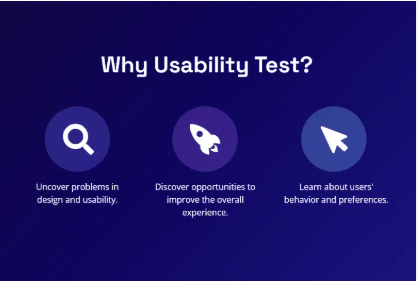
Usability testing helps identify real problems users encounter when interacting with a product.
Types of Usability Testing
Common methods include:
Moderated Testing
A facilitator observes users performing tasks and collects feedback.
Unmoderated Testing
Users test the product independently while software records their behavior.
A/B Testing
Two variations of a page are tested to see which performs better.
Remote Testing
Participants interact with the product from different locations.
Benefits of Usability Testing
Testing reveals issues that designers often overlook.
Key benefits include:
- Identifying confusing workflows
- Detecting navigation problems
- Improving task completion rates
- Enhancing overall UX quality
Even small usability tests can uncover major design flaws.
Common Usability Mistakes to Avoid
Many websites struggle because of avoidable design mistakes.
Here are some frequent usability issues:
Overcomplicated Navigation
Too many menu items or unclear categories confuse users.
Poor Error Messages
Generic messages like “Something went wrong” offer no guidance.
Instead, provide actionable instructions.
Hidden Important Features
If essential actions are hard to find, users may abandon tasks.
Excessive Pop-Ups
Too many interruptions disrupt the browsing experience.
Ignoring Accessibility
Accessibility improvements benefit all users, not just those with disabilities.
Future Trends in Usability and UX
Usability is constantly evolving as technology advances.
Several emerging trends are shaping modern user experiences.
AI-Powered Personalization
Artificial intelligence enables interfaces that adapt to user behavior and preferences.
Voice User Interfaces (VUI)
Voice assistants and conversational interfaces are becoming more common.
Microinteractions
Small animations and feedback interactions improve usability and engagement.
Inclusive Design
Designing products that work for people with diverse abilities is becoming a global priority.
Organizations that adopt these trends early often gain a competitive advantage.
Actionable UsabilityAdvice Checklist
If you want quick improvements, start with this usability checklist:
- Simplify navigation menus
- Optimize page loading speed
- Use clear calls to action
- Improve mobile responsiveness
- Provide helpful error messages
- Conduct regular usability testing
- Use analytics to monitor user behavior
- Prioritize accessibility guidelines
Implementing these practices can dramatically enhance user experience.
Conclusion
Usability is the backbone of successful digital products. By following practical usabilityadvice, businesses can create intuitive interfaces that help users accomplish tasks effortlessly.
Good usability leads to better engagement, higher conversions, and stronger brand trust. Whether you’re improving a website, designing an application, or launching a digital service, focusing on user-centered design principles will always deliver long-term value.
Ultimately, usability is not about technology—it’s about people. When you design with users in mind, better experiences naturally follow.